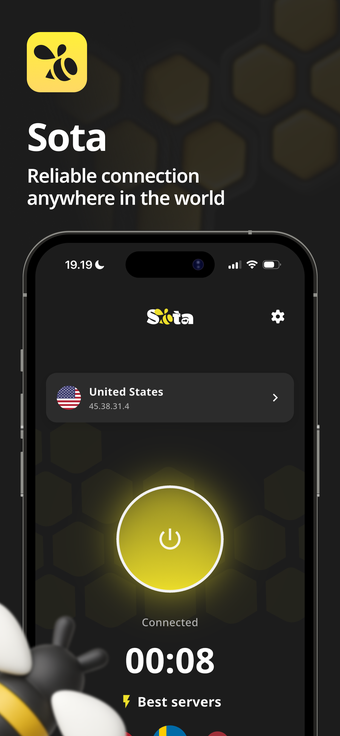
Sota Connect: Secure Network delivers stable encrypted mobile connectivity
Sota Connect: Secure Network from Cat Connect Oy is an iPhone utility that provides private, encrypted internet access for mobile users. The app establishes encrypted sessions across public Wi-Fi and cellular networks, maintaining connection continuity while moving and selecting endpoints that favor speed. It offers a Home Screen one-tap widget, encrypted data transmission, and a clean interface. Privacy-conscious individuals, remote professionals, and travelers gain dependable secure access on mobile devices.
How Sota authenticates and starts a secure session
Sota operates as a secure connection client that requires an active access key (UUID) issued from your dashboard on the official Sota VPN website to activate the service. After entering the key and signing in, users tap Connect to create the encrypted tunnel. The client is optimized for iPhone and also supports iPad, Mac, and Apple TV, while offering compatibility with Android, Windows, and Linux for cross-device deployments.
How the app behaves when networks change
Sota adapts its engine to network handovers to reduce dropped sessions and uses automatic endpoint selection to prefer the fastest, most stable route. The backend uses a high-speed server infrastructure with 10 Gbps channels and no traffic restrictions, which helps avoid server-side bottlenecks during large transfers or streaming and preserves throughput when switching between Wi-Fi and mobile data.
What privacy and security guarantees are provided
Sota transmits user traffic over encrypted tunnels and implements open-source protocols alongside a stated strict no-logs policy. The developer notes that log journals are deleted from servers instantly, and authentication via access keys limits access to authorized clients. These elements combine to reduce retained metadata and support scenarios where minimizing stored connection records matters.
Who it fits and how easy it is to operate day to day
Sota presents a clean interface and a Home Screen one-tap widget to simplify daily use, and store feedback highlights fast connection setup and stability. That combination suits privacy-conscious travelers and remote professionals who manage credentials or corporate device fleets; casual users can operate the client for routine tasks once device provisioning and the initial access-key step are completed.
Sota is a practical choice for mobile professionals who manage their own credentials
The app suits privacy-focused mobile professionals and travelers who need consistent encrypted connectivity on the move; its operational reliability favors users who handle credential provisioning or device fleets. Allow time for the initial access-key activation and test a connection before relying on public networks. Recommended.